

QUICK ANSWER
With White Friday landing on 27 November, it's too late for migrations or new content silos. Run triage SEO instead: recycle one evergreen sale URL, lock down crawl waste, keep Offer schema and Merchant Center prices in sync, protect the server, and publish a few answer-first buying guides so AI search has accurate deals to retrieve.
Most e-commerce managers panic in late October and start building brand new landing pages, abandoning the authority their domain earned on last year's URLs. I've sat through that panic in enough war rooms to know it costs more than it saves. Every November I watch good teams spend their last three weeks fixing things that were fixable in October. This guide is the triage list I'd run for any UAE or GCC store, whether it's on Shopify, Magento or a custom build, and it's the practical side of e-commerce SEO under deadline pressure.
The 30-Day Reality Check: Code Freezes and AI Search in Late October 2026
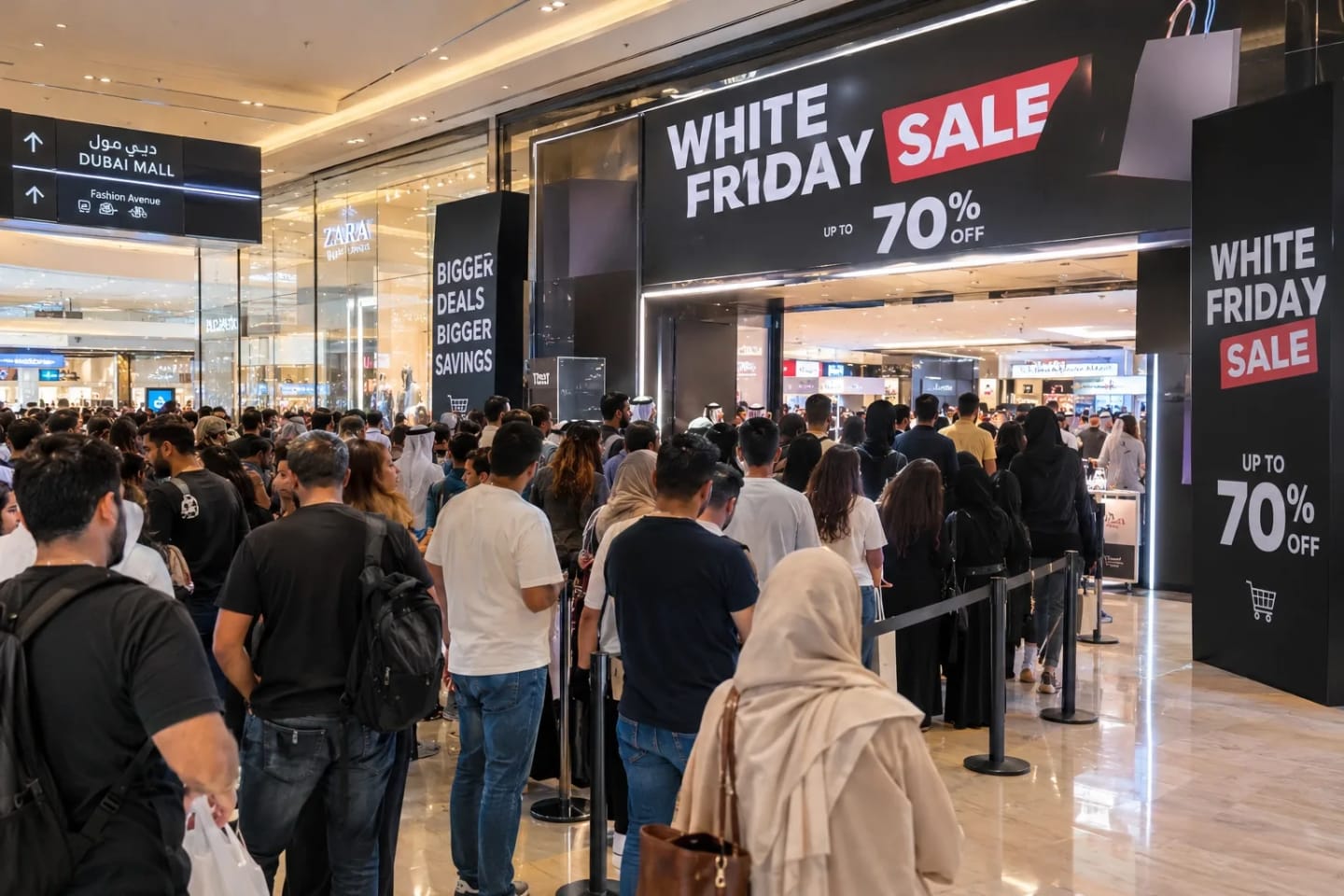
White Friday is Friday 27 November, with Cyber Monday on 30 November, and Amazon.ae and noon hadn't confirmed their sale windows when that guide was published. You have about five weeks. Intent is already shifting from browsing to buying, and regional peaks are sharp: Flowwow-Admitad data shows regional White Friday sales up 40% while online purchases across all of November grew about 10%, so much of the demand is pulled into a few days.
AI search raises the stakes. Google says AI Mode has passed 1 billion monthly users, so shoppers now ask for the best iPhone deals in Dubai right now instead of scanning ten blue links. If your price, stock and buying guides aren't machine-readable, models fill the gap from competitors, or from your stale full-price cache. I covered the mechanics in our guide to getting cited in AI Overviews and ChatGPT.
UAE shoppers also compare more than the headline discount. They look for VAT-inclusive AED prices, cash on delivery (الدفع عند الاستلام), Tabby or Tamara instalments and a believable delivery date. Put those facts in crawlable HTML on the hub and the top product templates, because that's what both shoppers and retrieval systems will read.
Here's what that looks like in practice. In the weeks before a sale, the failures I see are rarely dramatic SEO penalties. They're ordinary things: a banner script that blocks rendering, a price feed that lags the page, a filter parameter that sends Googlebot into a loop. Each one is cheap to fix now and expensive on the day.
Set a code freeze. My rule: no heavy front-end or JavaScript releases after 2 November, only content, configuration and monitoring until the sale ends. With only weeks left, bringing in a specialized SEO agency in Dubai for a rapid technical triage is the difference between capturing peak traffic and watching your server buckle.
Summary Table: 11-Phase White Friday Triage Checklist
| Phase | Technical execution | Risk if skipped | Finish by |
|---|---|---|---|
| 1. Evergreen hub | Keep one permanent sale URL, update title and H1 | Zero-authority new page | 23 Oct |
| 2. Crawl budget | Disallow low-value filter parameters, clean sitemaps | Googlebot wastes visits | 25 Oct |
| 3. Structured data | Server-rendered Offer markup from live prices | Stale prices in AI answers | 30 Oct |
| 4. Caching and CWV | Edge caching, stale serving, purge on price change | Slow pages, 5xx errors | 1 Nov |
| 5. Link funneling | Homepage, nav and footer links to the hub | Hub stays weak | 2 Nov |
| 6. OOS routing | Keep 200 pages, OutOfStock markup, alternatives | Lost demand, 404s | 6 Nov |
| 7. App hygiene | Remove unused apps, heatmaps and pixels | Main-thread freezes | 2 Nov |
| 8. Merchant Center | Feed-to-page price sync, Merchant API for fast changes | Disapproved products | 8 Nov |
| 9. AEO guides | Answer-first deal guides with data tables | AI cites competitors | 15 Nov |
| 10. Local SEO | Special hours, posts, local inventory | Missed footfall | 15 Nov |
| 11. Social signals | Launch-day distribution to hub URLs | Slower discovery | 26 Nov |
Essential SEO Tips To Prepare Your Store For White Friday
1. The Evergreen Hub Page Architecture (Recycle, Don't Rebuild)
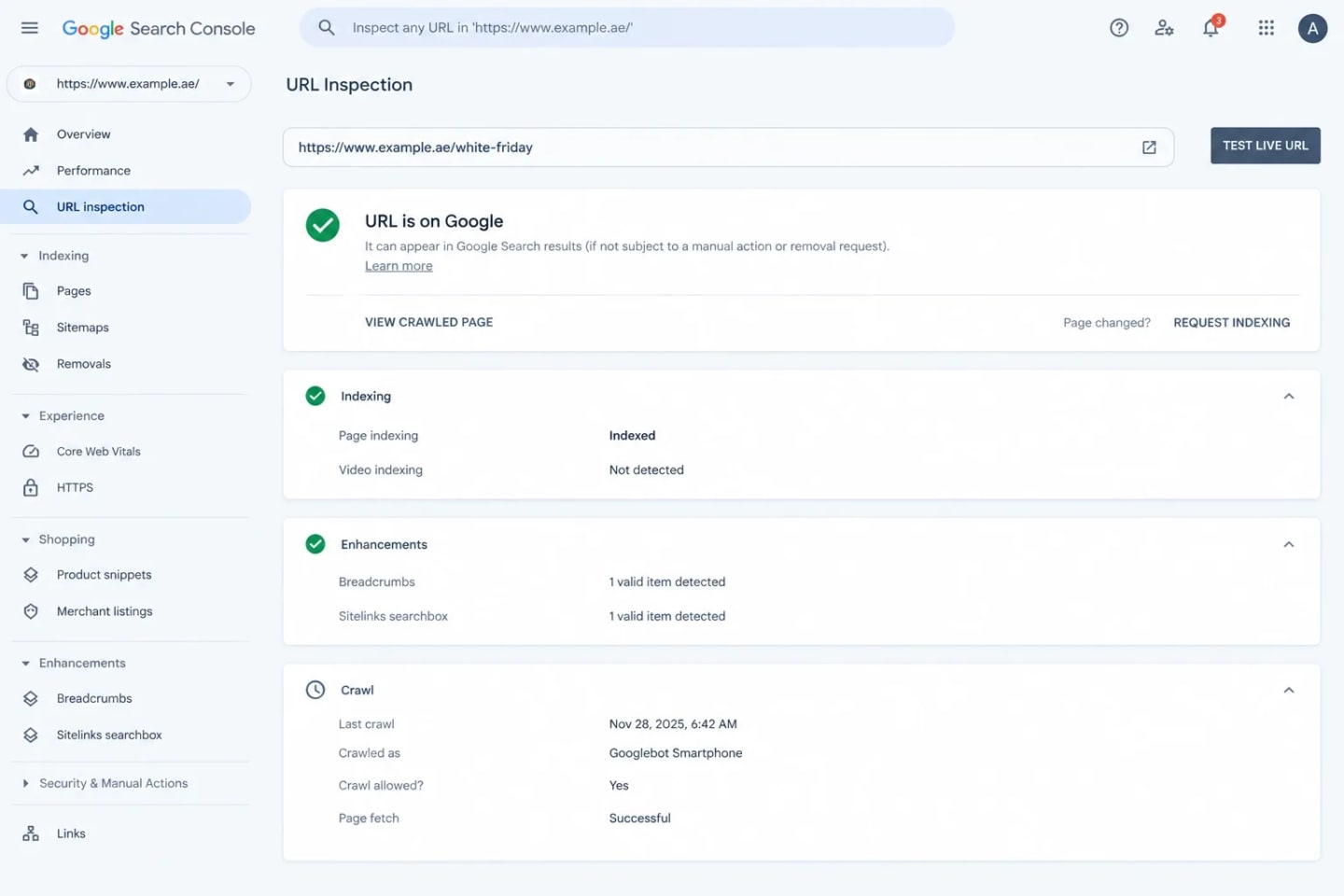
A fresh /white-friday-2026/ URL starts with no history, no links and no seasonal memory. I've kept a brand's three-year-old /white-friday-sale/ page alive instead of launching a new one, and it was already crawled and linked when the campaign began. Keep one permanent URL (/white-friday-sale/ or /white-friday/), update the title tag, H1 and dates, and archive last year's deals so expired claims don't linger. Give the Arabic version (الجمعة البيضاء) its own stable URL, not a translated copy of the English slug. Redirect any old variants to the hub with a 301.
Build the hub as a real page, not a banner wrapper. Give it a self-referencing canonical, keep it indexable, and include category tiles, the sale dates, delivery and returns notes, and a short FAQ in crawlable HTML. Avoid parameters like ?utm_source in internal links, and update lastmod in the sitemap only when the page genuinely changes. A countdown timer is fine, as long as the date text itself sits in the HTML and not only in JavaScript.
2. Aggressive Crawl Budget Lockdown (Freezing Faceted Navigation)
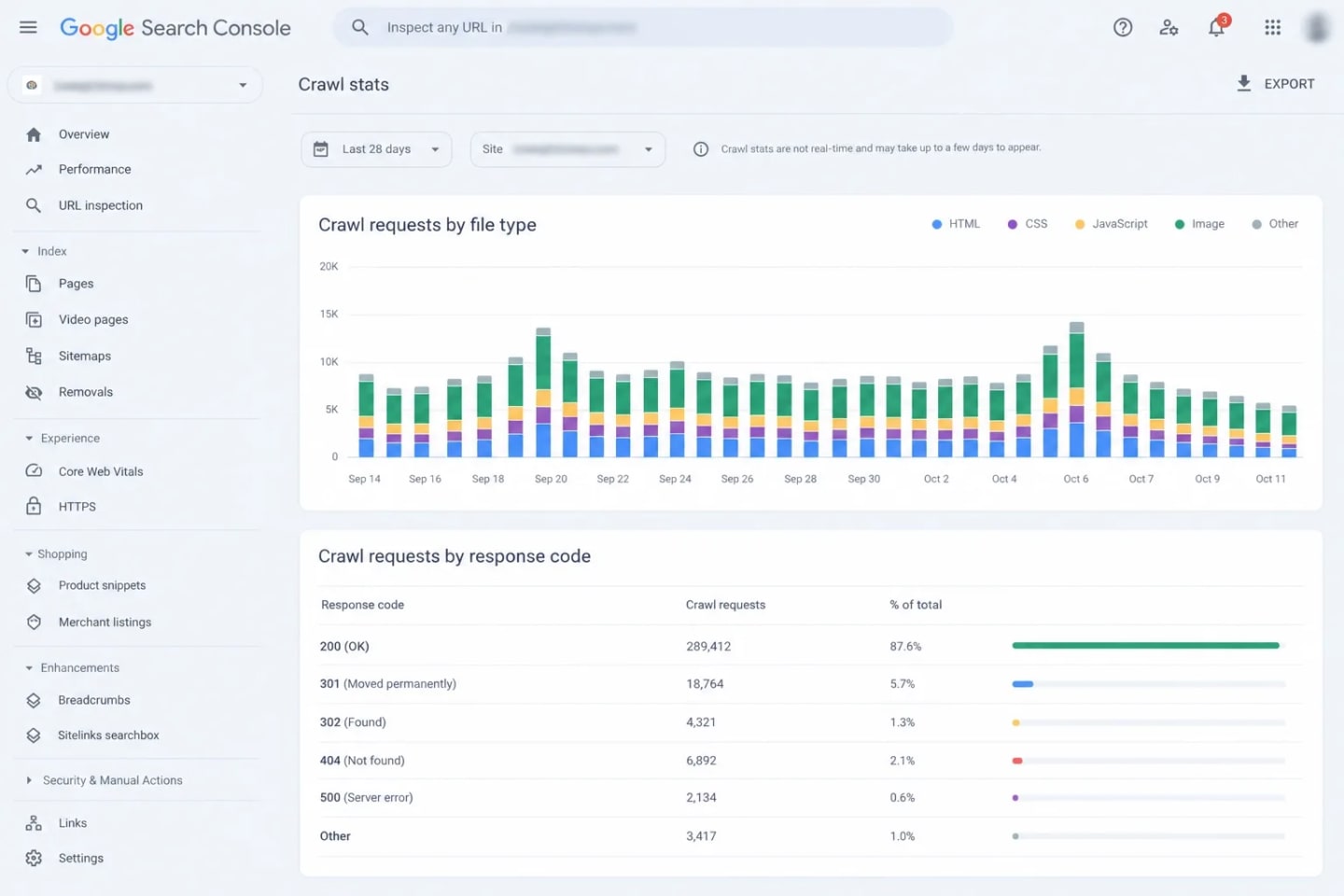
Check your logs first: Google's own advice is to look for faceted navigation, calendar pages and similar traps before anything else. One Thursday night before a sale, I applied robots.txt disallows to the filter parameters hammering a Magento store, and it took the pressure off the servers before the traffic arrived. Disallowing low-value filters (color, size, sort) frees Googlebot to spend its visits on discounted products, though it doesn't guarantee all of them.
Look at the server logs before you write a single rule. Segment verified Googlebot hits by URL pattern and rank the patterns by volume. On Magento, layered navigation usually tops that list. On Shopify, tag-filtered collection URLs and the /collections/x/products/y paths are the usual suspects, and robots.txt.liquid lets you edit the rules natively. Start with the three patterns that eat the most hits and leave the long tail alone.
User-agent: *
Disallow: /*?*color=
Disallow: /*?*size=
Disallow: /*?*sort=
One caveat: a disallow stops new crawling but doesn't remove filter URLs that are already indexed, and five weeks is too short to untangle that. Your goal is to stop the bleeding. Never disallow and noindex the same URL, because blocked pages can't have their noindex read. Keep CSS and JavaScript crawlable, and trim XML sitemaps to indexable 200 URLs with an honest lastmod. The full pattern is in our enterprise technical SEO checklist.
3. Real-Time Structured Data Injection (Dynamic Pricing for LLMs)
If your pricing schema isn't syncing live, search will show your full-price cache while a competitor's discount takes the click. Generate Offer markup from the same source as the visible price, render it server-side, and set a future priceValidUntil, because a past date can stop the listing from displaying. Use one itemCondition value per offer.
3. Real-Time Structured Data Injection (Dynamic Pricing for LLMs)
If your pricing schema isn't syncing live, search will show your full-price cache while a competitor's discount takes the click. Generate Offer markup from the same source as the visible price, render it server-side, and set a future priceValidUntil, because a past date can stop the listing from displaying. Use one itemCondition value per offer.
"offers": {
  "@type": "Offer",
  "price": "2799.00",
  "priceCurrency": "AED",
  "priceValidUntil": "2026-11-30",
  "itemCondition": "https://schema.org/NewCondition",
  "availability": "https://schema.org/InStock"
}
Build in a fail-safe. If the pricing service times out, drop the Offer block instead of printing the last cached price. For sale items, show the strikethrough price in HTML but mark up the price a customer will actually pay. Test a sample of each template (product, variant, bundle) with Google's Rich Results Test before the freeze. Markup that disagrees with the visible page is worse than none.
4. Core Web Vitals, Edge Caching, and Server Load Protection
Traffic spikes wreck LCP and INP first, then the server. Cache category and product HTML at the edge with Cloudflare or Fastly, and serve stale content while revalidating so a price update doesn't trigger a thundering herd. Purge by surrogate key when prices change, and never cache carts or logged-in pricing. Defer non-essential JavaScript.
Know what a failing server costs you. Google says 5xx and 429 responses make its crawlers slow down temporarily, and URLs that keep erroring are eventually dropped. In a true emergency, a 503 with Retry-After protects the index, but only for a day or two.
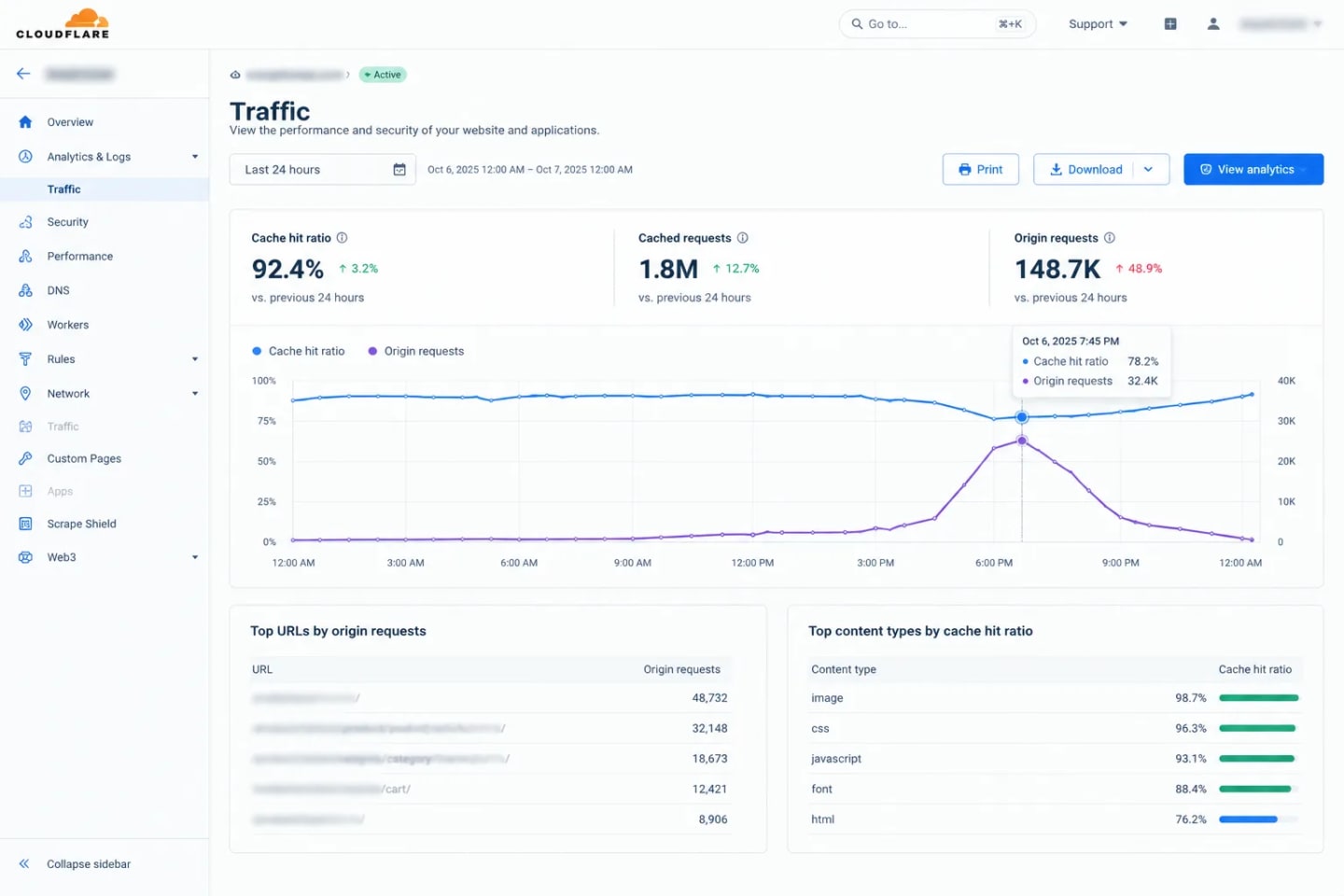
Run a load test at least two weeks out, using real category and product URLs, not just the homepage. Preload the hero image on templates where it's the LCP element, rate-limit abusive bots at the edge, and confirm autoscaling actually triggers. Then watch three numbers on sale day: 5xx rate, cache hit ratio and Googlebot response time. If they move together, the origin is the problem.
Build in a fail-safe. If the pricing service times out, drop the Offer block instead of printing the last cached price. For sale items, show the strikethrough price in HTML but mark up the price a customer will actually pay. Test a sample of each template (product, variant, bundle) with Google's Rich Results Test before the freeze. Markup that disagrees with the visible page is worse than none.
4. Core Web Vitals, Edge Caching, and Server Load Protection
Traffic spikes wreck LCP and INP first, then the server. Cache category and product HTML at the edge with Cloudflare or Fastly, and serve stale content while revalidating so a price update doesn't trigger a thundering herd. Purge by surrogate key when prices change, and never cache carts or logged-in pricing. Defer non-essential JavaScript.
Know what a failing server costs you. Google says 5xx and 429 responses make its crawlers slow down temporarily, and URLs that keep erroring are eventually dropped. In a true emergency, a 503 with Retry-After protects the index, but only for a day or two.
Run a load test at least two weeks out, using real category and product URLs, not just the homepage. Preload the hero image on templates where it's the LCP element, rate-limit abusive bots at the edge, and confirm autoscaling actually triggers. Then watch three numbers on sale day: 5xx rate, cache hit ratio and Googlebot response time. If they move together, the origin is the problem.
5. Internal Link Funneling (Passing Authority to Deal Pages)
Your hub only helps if your strongest pages point at it. Link it from the homepage banner, the main navigation and the footer, using plain HTML anchors in the server-rendered markup, then link from the hub to category deal pages and from those to top products. This concentrates existing authority where the money is, though links pass signals gradually, not instantly. Add a visible sale badge to the best-selling category pages that links back to the hub, and link to it from your top-traffic blog posts and any press coverage. Use descriptive anchors in Arabic navigation (for example عروض الجمعة البيضاء), not "click here".
6. Dynamic Routing for Sold-Out and Expiring Deals
Don't 404 a sold-out deal mid-sale. Keep the page live at a 200 status, mark availability as OutOfStock, show an unmistakable out-of-stock label (نفد المخزون), and push similar in-stock alternatives. When a deal truly ends, update the page and redirect permanent removals to the closest relevant category, never the homepage. Where restocks are likely, keep the URL and the demand it has collected. I've watched teams delete flash-sale products the moment inventory hit zero, then wonder why the restock page started from scratch. Add a back-in-stock alert and a short list of in-stock alternatives, and the sold-out page keeps earning.
7. Third-Party App and Script Hygiene (Killing the Dead Weight)
Audit every script now, before the freeze. Heavy heatmaps like Hotjar, stacked pop-ups, forgotten pixels and abandoned apps freeze the main thread right when INP matters most. I run the same test on every store: disable one script at a time and measure. If INP gets worse when a script loads, that script is on probation. Check chat widgets, consent tools, review widgets and tag-manager containers too, and test on a mid-range Android phone, because that's closer to your real shopper than a developer laptop. Keep payments, tax and shipping integrations, including your BNPL providers, untouched. Removing an unused app takes minutes. Shopify merchants can start with our list of common Shopify SEO issues in the UAE.
8. Google Merchant Center and Local Inventory Syncing
Google checks that feed data matches your landing page, and its help page says to keep both in sync during big sales. Automatic item updates aren't a safety net: they only happen when Google crawls the page. Recent revisions to that page warn that products repricing more than once per day may be disapproved instead of updated, and recommend the Merchant API for frequent changes. So set sale prices on a schedule and resist hourly flash repricing. Keep separate UAE and KSA feeds with the right currency, VAT treatment and shipping settings, include GTINs wherever you have them, and check Diagnostics daily through the sale.
If you run physical stores, local inventory data matters too. Google lists the UAE among the countries where local inventory ads and free local listings are available.

9. Rapid AEO Content Clusters & Buying Guides (Feeding AI Overviews)
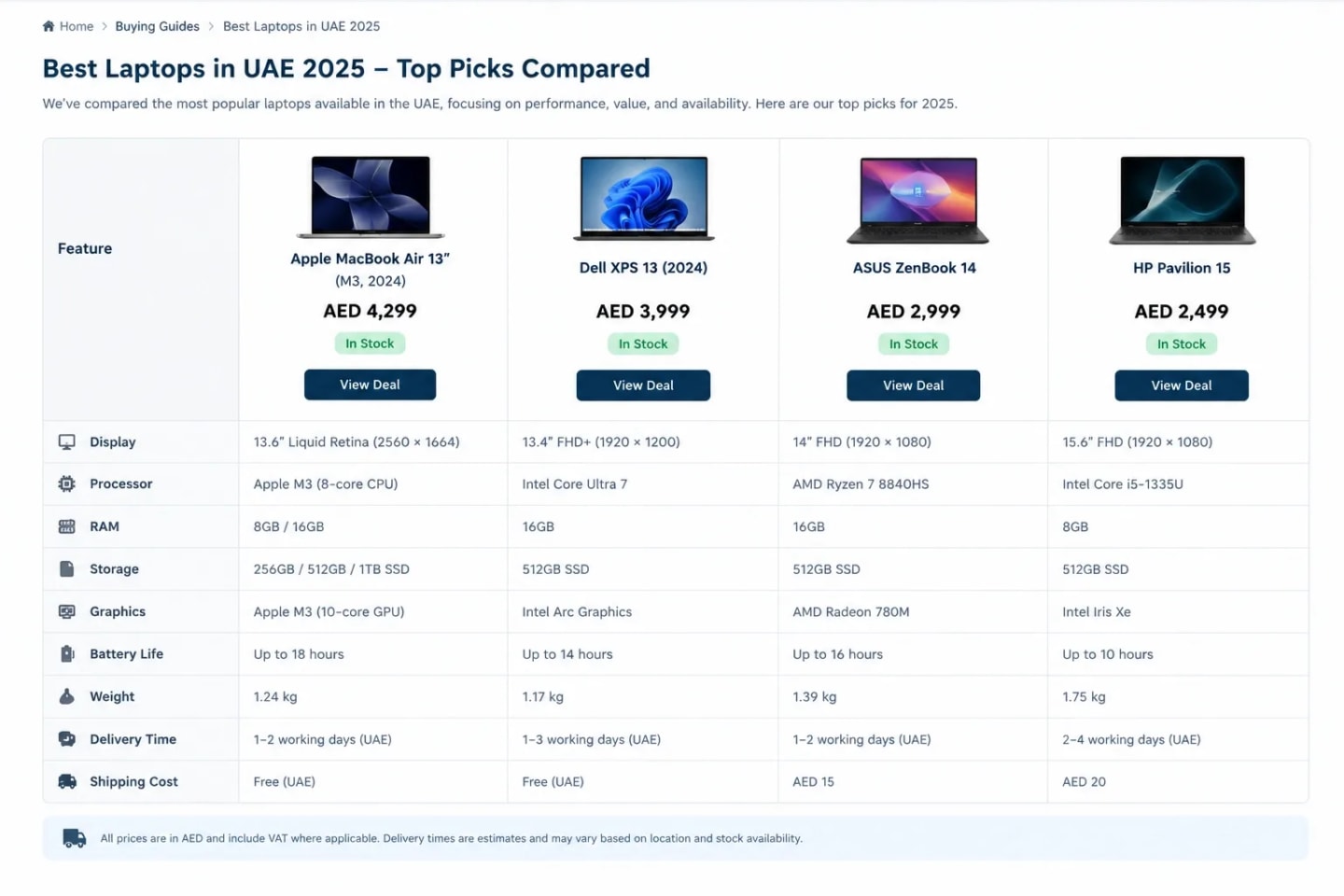
Publish a small cluster, not a content farm. Think "best White Friday laptop deals in Dubai" (أفضل عروض الجمعة البيضاء في دبي) with a two-sentence direct answer first, then a comparison table of verified AED prices, VAT-inclusive, with a visible last-updated date. Add Q&A blocks for delivery, returns and cash on delivery (الدفع عند الاستلام). This is answer engine optimization for retrieval: clean tables and honest dates are easy to extract, though no format guarantees a citation. Don't publish a deal you can't honor.
Limit yourself to your three to five highest-revenue categories, and refresh each guide through the week. If you sell to Arabic-speaking shoppers, publish the Arabic guide with native phrasing, not machine translation, which is where real Arabic SEO earns its keep. When a model has no reliable source for your prices, it guesses. Give it one.
10. Omnichannel Local SEO (Google Business Profile Optimization for Footfall)
For mall retailers, mobile "near me" searches turn into footfall. Update holiday trading hours through special hours in Google Business Profile, publish Posts for the sale, and confirm your local inventory feed matches shelf stock. Check each branch's profile for the right category and phone number, add fresh photos of the sale displays, and reply to recent reviews, because shoppers read them before they drive to a mall. Mall hours often change during the sale weekend, and a wrong closing time costs you a visit. Our Dubai Google Business Profile guide walks through the setup.

11. Social Media & Digital PR Integration (Accelerating Indexation via Signals)
Social helps discovery, but treat it as a distribution assist, not an indexing switch. Google doesn't document social posts as an indexing trigger, and many platforms wrap or nofollow outbound links. I've used coordinated launches on TikTok, YouTube Shorts and X to send traffic and fresh links to the same evergreen hub, but the sitemap and internal links did the real indexing work. Always point posts to the permanent URL, never a campaign-parameter version that fragments signals. If you work with creators, give them the permanent link and one short, unique tracking method that doesn't create indexable URLs. Digital PR does the same job better: a mention from a credible UAE outlet pointing at your hub is worth more than a hundred short-lived posts.
The "Old Q4 SEO" Habits You Must Drop Immediately
- Launching a new URL every year. You throw away accumulated history and start from zero.
- Writing "more blog posts." Volume doesn't help if deals, prices and stock aren't machine-readable.
- Shipping new features in November. A late JavaScript release is the fastest route to a Black Friday outage.
- Letting marketing and engineering work in silos. Price, feed, schema and cache have to change together.
- Trusting Merchant Center to auto-correct. Automatic updates fire only when Google crawls the page.
- Redirecting every expired deal to the homepage. Send it to the closest relevant category, or the shopper and Google both lose the thread.
- Blocking AI crawlers by accident. A blanket bot rule written for scrapers can also lock out the crawlers that feed AI answers, so make it a decision, not a side effect.
FAQs
Is it too late to rank a brand new White Friday page in October?
Mostly, yes. A new page has no history, so update your permanent sale URL instead and link to it from your strongest pages.
Why should I remove the year "2026" from my White Friday URL?
A dated URL expires with the year and loses its accumulated links and crawl history. Put the year in the title and H1, and keep the slug permanent.
How do I make sure Google indexes my discounted prices immediately?
You can't force it. Keep the page crawlable, link to it from the homepage, list it in your sitemap with an accurate lastmod, and make schema and feed prices match the visible price.
What happens to my SEO if my server crashes during a White Friday traffic spike?
Google slows crawling after 5xx and 429 responses, and URLs that keep failing are eventually dropped. Fix capacity fast, and use a short-lived 503 with Retry-After only as an emergency measure.
Should I delete product pages when they sell out during the sale?
No. Keep a 200 page with OutOfStock markup and alternatives. Use 404 or 410 only when the product is permanently gone.
How do I optimize my White Friday deals for ChatGPT and AI Overviews?
Publish answer-first guides with clean AED price tables, keep Offer schema accurate, and allow the relevant crawlers. None of it guarantees a citation, but wrong data guarantees a bad one.
When should I start my code freeze for White Friday?
My rule is the first days of November for heavy front-end and JavaScript releases. After that, allow only content, configuration and monitoring changes, and a rollback plan for anything urgent.
Do I need a separate Arabic White Friday page?
Yes, on its own stable URL with native Arabic copy and hreflang to the English hub. Don't redirect users by IP or serve Arabic only through a language toggle.
Should I disable Shopify/Magento apps before the sale begins?
Disable anything unused or non-essential, after testing one at a time. Keep payments, tax and shipping apps running.
How do social media posts actually help my technical SEO during White Friday?
Indirectly. They send traffic and discoverable links to your hub, but they don't replace sitemaps and internal links.
More articles you might like
 Local SEO
 Kashaf Khan
Eid Al Etihad Google Business Profile Checklist
Set Eid Al Etihad special hours, Offer posts and festive photos on your Google Business Profile before 2 December, without post rejections or suspensions.
 AEOKashaf Khan
AEO in the UAE: How to Get Your Business Cited by AI
Learn how UAE businesses get cited by ChatGPT, Google AI Overviews and Perplexity: entity setup, Arabic AEO, schema, AI crawler rules and tracking.
 SEOKashaf Khan
YMYL SEO Guidelines for UAE Banks and Financial Institutions
Explore YMYL SEO guidelines for UAE banks and financial institutions to build trust, strengthen E-E-A-T, and improve search rankings.